One or two players—or teams
Enter individual player names, or use a team name for doubles and team play. Track turns and remaining scores on one clear screen, with statistics for 01 and Practice.

Now with Standard + No Score Cricket
Old-school scoring. Modern simplicity. Clear, distraction-free 01, Practice and Cricket scoring built for the oche.
Made for real darts
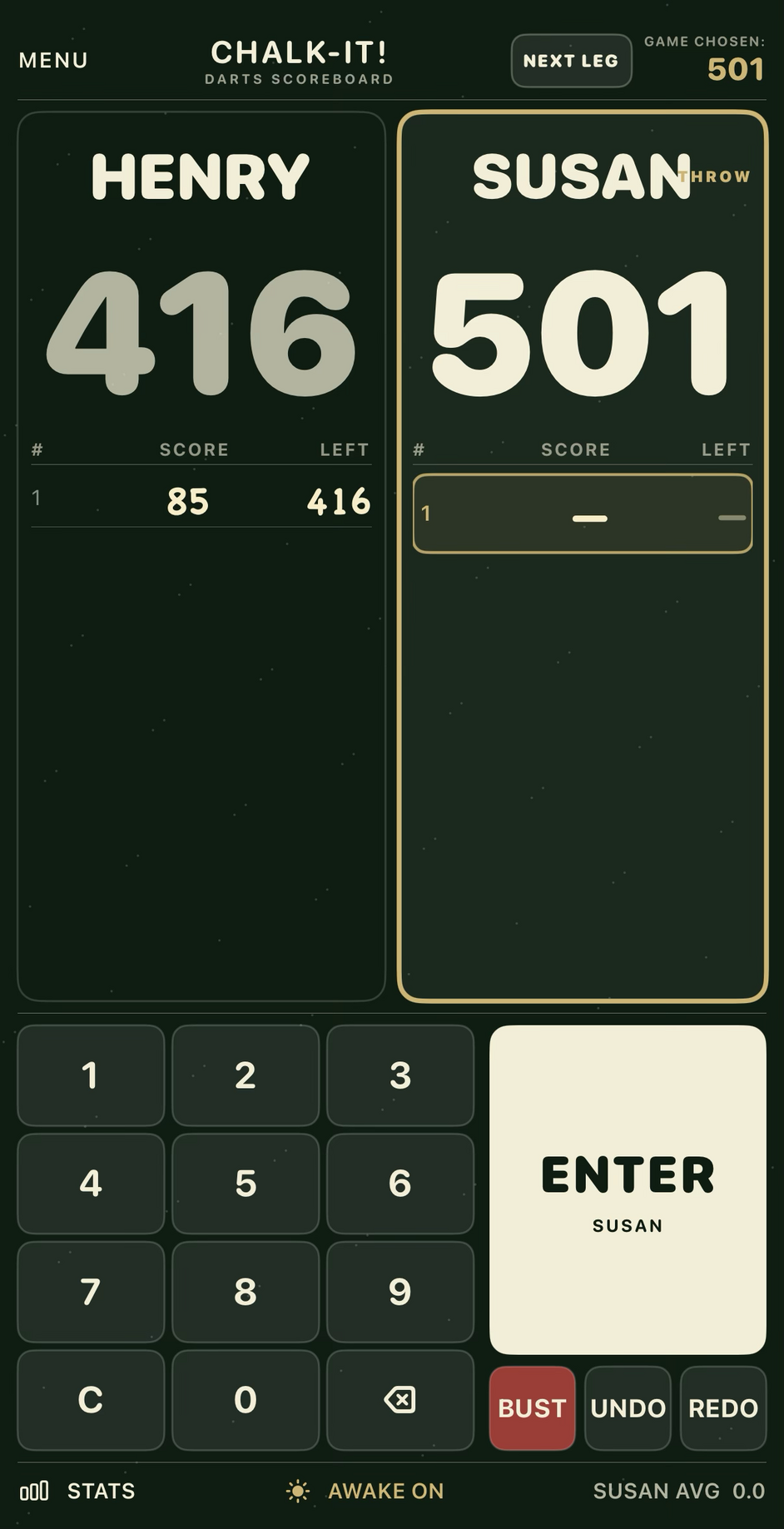
Chalk-it! preserves the simplicity and visibility of a traditional chalkboard while taking the arithmetic and eraser out of scoring.
Enter individual player names, or use a team name for doubles and team play. Track turns and remaining scores on one clear screen, with statistics for 01 and Practice.
Choose a standard game or record free-scoring practice without changing how you enter a throw.
Play traditional two-player Cricket with points, or choose No Score for a simpler two-player game or solo practice. Three clear circles track every mark from 20 through Bull.
Large scores, strong contrast and a familiar chalkboard history remain readable at throwing distance.
Haptic feedback plus enter, bust, undo and redo controls keep 01 and Cricket games moving when the room gets lively.
Completely offline
Help when you need it
Chalk-it! is designed for quick, straightforward scoring on iPhone and iPad. No account, registration or internet connection is required.
Email Chalk-it! SupportFrom the title screen, select Start New Session. Choose 01 / Practice or Cricket, select the game and number of players, then enter the player names.
Select 101, 301, 501 or Practice. Tap a player’s board to choose the thrower, then enter each three-dart score using the keypad.
Choose Standard for traditional two-player Cricket with points, or No Score for a two-player race or one-player practice. Tap a player’s side to choose the thrower, then select Enter Turn.
For each dart, choose 20 through 15, Bull or No Score, followed by Single, Double or Triple. Three filled circles close a target. A single Bull counts as one mark and a double Bull counts as two. Once Bull is closed in Standard Cricket, they score 25 and 50 points respectively while the opponent remains open. Triple Bull is not available.
Use Undo to remove the most recent entry and Redo to restore an entry removed by mistake. In 01 games, use Bust when a player’s visit does not count.
The stay-awake control can prevent the screen from dimming while Chalk-it! is in use. Normal iPhone or iPad Auto-Lock behaviour returns when the control is switched off or the app is no longer active.
Email chalkitdarts@gmail.com. Please include your device model, iOS or iPadOS version, and a short description of what happened.
Effective September 10, 2026
Chalk-it! is deliberately built without accounts, advertising, analytics or tracking.
We do not collect personal information or usage data. The app does not transmit player names, scores, statistics, settings or device information to Tim Johnson or to any third party.
Player names, game results, statistics and app preferences are stored locally on your iPhone or iPad so the app can retain your information between sessions. This information remains on your device and is not available to us.
You can remove stored statistics using the app’s clear-statistics function. Removing the app also removes its locally stored information, subject to Apple’s device and backup behaviour.
Chalk-it! does not require an internet connection and does not include third-party advertising, analytics or tracking software. Downloads, purchases and App Store activity are handled by Apple under Apple’s own privacy policies.
Because Chalk-it! does not collect or transmit personal information, it does not knowingly collect personal information from children.
If Chalk-it!’s data practices change, this policy and the App Store privacy information will be updated before those changes are released.
Questions about this policy can be sent to chalkitdarts@gmail.com.